DropSend Introduces Shared Folders
We have some exciting news for our users. We’ve been working hard on improving DropSend and we’ve added a new feature that many of you requested – Shared Folders. With this new feature you can share folders you store in your DropSend storage space with anyone you want.
Here are the main benefits of using shared folders:
- Easily share folders with anyone
- Password-protect the shares
- Set the download limit
- Set expiry dates for the shares
- Ideal for collaborative projects
How to Use the Shared Folders Feature
Using the new feature is really easy and it’s really useful if you want to share a file or a folder with several people at the same time. To share an item, do the following:
- Upload the item(s) you want to share to you storage space
- Browser to your Storage folder and select the items you want to share
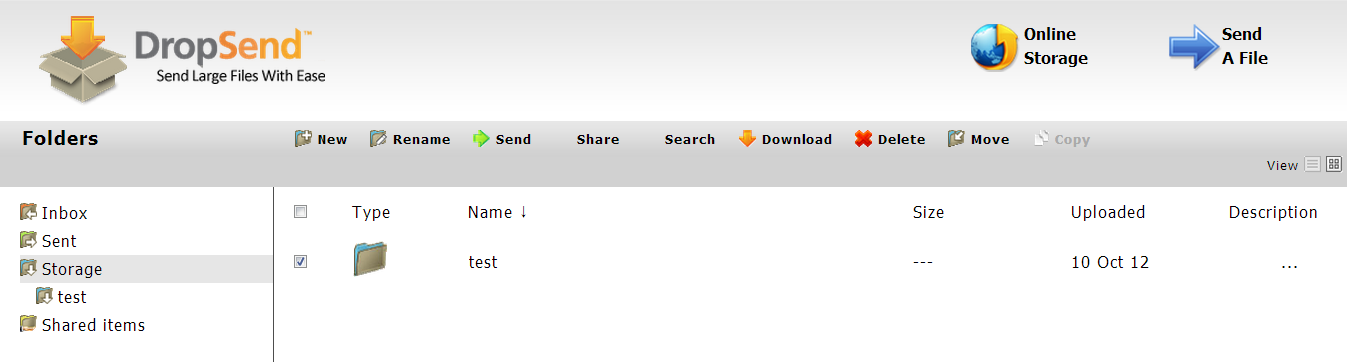
- Click on the Share button. A new window will appear
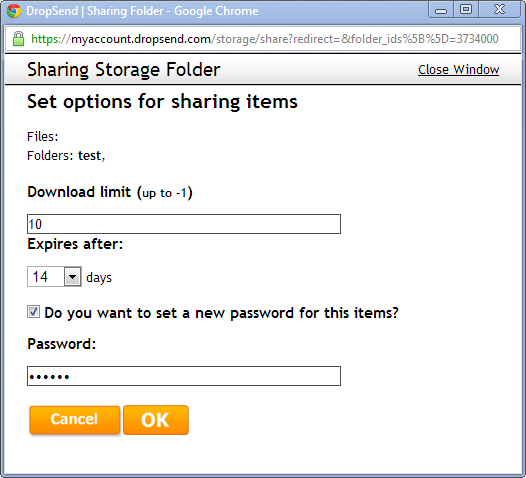
- In the new window you can set the download limit, the expiry limit (maximum 14 days) and protect the download with a password
- Click OK to save the changes. The download link will appear
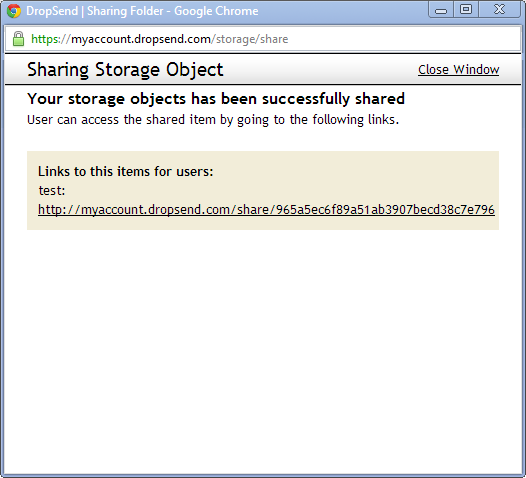
- Copy this link and send it to the people you want to share files with
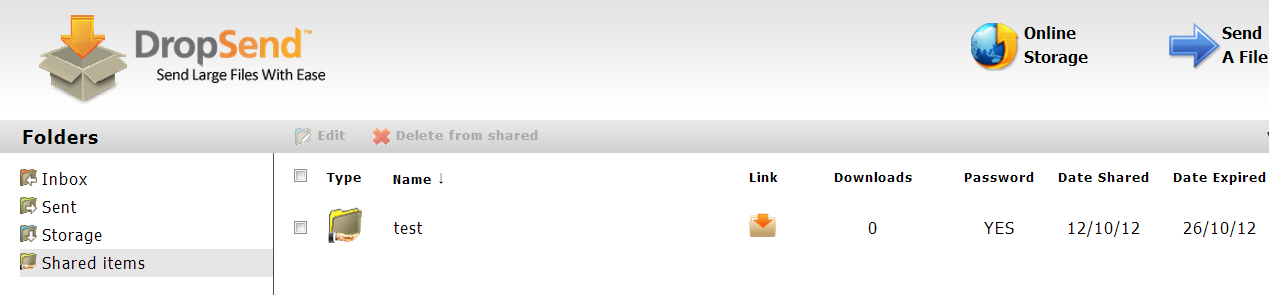
- The shared folder will appear in the Shared Items folder. There you will be able to view how many times it has been downloaded and get the link again and view other info
That’s it! Let us know what you think about this feature in your comments!

