Why Does Password-Protected File Sharing Matter?
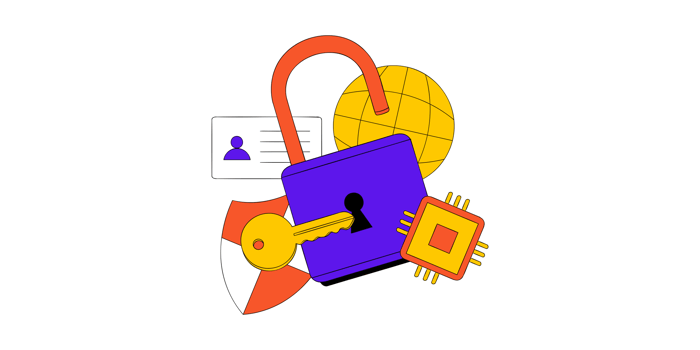
Password-protected file sharing has become more critical in the interconnected digital landscape. Businesses, organizations, and individuals handle sensitive information daily and the risks of data breaches are ever-present. This method provides an effective and necessary layer of security, ensuring that data is accessed only by intended recipients.
Data breaches are becoming more frequent, with cybercriminals exploiting weaknesses in unprotected systems. Secure file sharing with password protection provides a strong defense against these threats. Adding an extra layer of authentication helps prevent unauthorized access and reduces the risk of data being intercepted or misused.
What is Password-Protected File Sharing?

Password-protected file sharing is a method that restricts access to shared files using a secure password. This process requires recipients to input the correct password to view, download, or edit the file, safeguarding it from unauthorized access. Whether sharing documents internally within a company or externally with clients, this feature enhances control over sensitive information.
Typically, the sender creates a password for the file or folder and shares it separately from the file link through email, text, or a secure communication channel. Many file-sharing platforms, like DropSend, Google Drive, and OneDrive offer password protection features to enhance file security during transmission.
Enhanced Security Against Cyber Threats
One of the most significant advantages of password-protected file sharing is its ability to mitigate cyber threats. As hackers continuously refine their techniques, organizations must prioritize secure file transfer methods to safeguard sensitive data. Password protection ensures that even if files are intercepted during transfer, unauthorized access is blocked. This additional layer of security helps reduce the risk of breaches, protecting valuable information and maintaining trust in digital communications.
Encryption and access control
Password-protected files often use encryption to make unauthorized access nearly impossible. This combination of passwords and encrypted file sharing ensures that data remains secure, even if intercepted during transfer. It creates a robust defense against potential breaches, protecting sensitive information effectively.
Defending against unauthorized access
Without password protection, files shared through unsecured networks are highly vulnerable to interception, potentially resulting in data theft, financial loss, or reputational harm. Using secure file transfer platforms with password protection adds a crucial layer of security, significantly reducing these risks. This ensures that sensitive information remains protected during transmission.
Compliance With Data Privacy Regulations
Many industries must adhere to strict data privacy regulations, such as GDPR, HIPAA, or CCPA, which mandate robust measures to protect sensitive information. Password-protected file sharing is vital in ensuring compliance by restricting access to authorized parties only. This approach is critical in file sharing for business, where safeguarding client information, financial records, and propriety data is critical. Using password protection, organizations can meet regulatory requirements, reduce the risk of data breaches, and build trust with their clients and partners.
Audit trails for accountability
Many platforms that offer password-secure file sharing also include logging features. These logs track who accessed the file and when providing a clear audit trail to ensure compliance with regulatory requirements.
Maintaining Professionalism and Trust

When sensitive information is shared without adequate security measures, it undermines trust and professionalism. On the other hand, secure file sharing for business demonstrates a strong commitment to protecting client and organizational data, enhancing trust and reliability.
Building confidence with clients
Clients are more likely to trust organizations that prioritize data security and take proactive measures to protect sensitive information. Utilizing file-sharing platforms for businesses with robust password protection ensures that client data is managed securely and responsibly. This approach not only safeguards critical information but also strengthens professional relationships by demonstrating a commitment to security and trustworthiness.
Avoiding legal ramifications
Unauthorized data exposure can lead to costly lawsuits or regulatory penalties, severely impacting an organization’s reputation and financial stability. Implementing secure transfer methods helps minimize these risks by ensuring that only authorized individuals can access sensitive data. This proactive approach safeguards valuable information while protecting both your business credibility and bottom line.
Flexibility and Ease of Use
The best secure file transfer for small businesses combines robust security with user-friendly features to simplify data protection. Many modern tools offer customizable options such as adjustable password complexity, expiration times, and user permissions, allowing businesses to tailor settings to their specific requirements. These platforms ensure both ease of use and strong security, making them an ideal choice for small businesses looking to protect sensitive information efficiently.
Setting expiration dates
File sharing with password protection can also feature file sharing with expiration dates, ensuring access is restricted to a specific timeframe. This is especially beneficial for time-sensitive projects or one-time data transfers, as it enhances security by automatically revoking access after the set period. Such functionality ensures better control over shared information while reducing the risk of unauthorized access after the intended use.
Adjustable permissions
With cloud-based file sharing for business, administrators can assign different levels of access, such as view-only or edit permissions, to ensure files are managed securely and appropriately. This flexibility allows enterprises to maintain control over sensitive information while tailoring permissions to specific roles or tasks. Such features enhance security and collaboration, ensuring files are used as intended without unnecessary risks.
Choosing the Right Platforms for Password-Protected File Sharing

File-sharing platforms vary widely in features and reliability, making it crucial to select one that emphasizes security, user-friendliness, and compatibility with current workflows. Choosing the right solution ensures both efficiency and data protection.
Top features to look for
Robust Encryption Standards:
Ensuring the platform supports encrypted file sharing with advanced encryption protocols is vital when selecting a solution. These protocols protect data during transfer and storage, making it nearly impossible for unauthorized parties to intercept or access sensitive information. Strong encryption safeguards the content and the trust between the business and the clients.
User-Friendly Interface:
When choosing a solution, prioritize tools designed to be intuitive and user-friendly, ensuring seamless adoption by all team members. Platforms offering password-protected file sharing for teams enhance security and streamline collaboration by making it easy for users to manage and share sensitive files. Simpler interfaces and clear workflows help teams work efficiently while maintaining robust data protection.
Compatibility with Current Workflows:
The platforms should integrate smoothly with your existing software to ensure compatibility with current workflows. This allows teams to share and manage files without disrupting their established processes, enhancing both efficiency and productivity.
Best Practices for Password-Protected File Sharing
While password-protected file-sharing helps keep your files secure and confidential online, it’s important to follow a few best practices to maximize its effectiveness. Here are some key tips to keep in mind and implement.
Use strong passwords
When using secure file-sharing software, it’s crucial to create strong, complex keywords to protect your data effectively. A robust password should include a combination of uppercase and lowercase letters, numbers, and special characters to make it difficult for attackers to guess. Avoid using common or easily guessed passwords, such as “12345” or “password”, as these are prime targets for cybercriminals. Regularly updating passwords and avoiding reuse across multiple platforms further enhance security.
Regularly update passwords
Regularly updating passwords is a key practice for maintaining strong security. Over time old passwords may become vulnerable due to data breaches, phishing attacks, or unauthorized access attempts. By updating passwords periodically, you minimize the chances of compromised credentials being exploited. This proactive step ensures that your sensitive files remain protected and reduces the overall risk of unauthorized access.
Educare team members
Training employees on how to share files securely online is essential for protecting sensitive information and preventing data breaches. Educate team members on the importance of secure file-sharing practices, such as using strong passwords and enabling password protection for confidential documents. Providing clear instructions and regular training sessions ensures employees understand the risks of unsecured file sharing and how to mitigate them. Awareness and adherence to best practices create a robust defense against potential cyber threats.
Monitor and audit file access
Regularly reviewing access to logs is a crucial step in maintaining the security of shared files. These logs provide a detailed record of who accessed files, and when and from which locations, helping to identify any suspicious activity or unauthorized access attempts. By monitoring these logs, organizations can quickly detect potential security breaches and take immediate corrective actions, such as revoking access or strengthening password protocols. Proactive log reviews are essential components of a comprehensive data protection strategy.
Password- Protected File-Sharing with DropSend
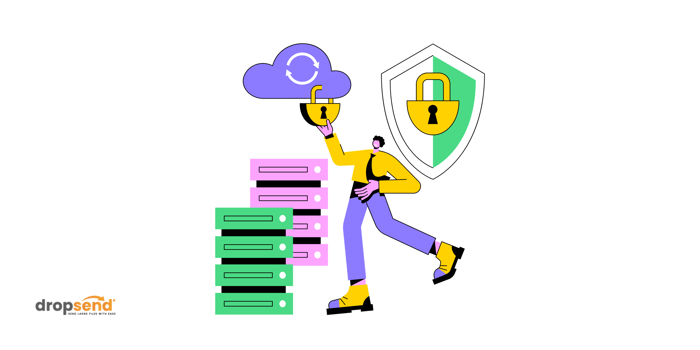
DropSend, a cloud-based file-sharing software offers a secure and efficient way to transfer sensitive files online. Designed with simplicity and security in mind, DropSend allows users to send large files while ensuring that only authorized recipients can access them. By incorporating password protection, DropSend provides an added layer of defense against unauthorized access, making it ideal for both personal and professional users. Whether you’re sharing confidential business documents or private files, DropSend’s secure features help keep your data safe throughout the transfer process.
Here’s how to secure your files with a password in DropSend before sending them to your recipient.
-
Create or sign in to your DropSend account: Go to dropsend.com and register if you’re new or login if you already have an account.
-
Access the file-sharing feature: Once logged in, click “Send” or “Send Files”
-
Upload your file: Drag and drop the file or upload it, then enter the recipient’s email address.
-
Add a subject (optional): Include a subject line if needed.
-
Enable advanced security options: Open “Advanced Options” choose “Add Password” and customize other settings like download limits or expiration.
-
Create a strong password: Use a complex and unique password to enhance security.
And that is it! Your file will be sent with an added layer of protection using DropSend.
As digital transformation continues, the demand for secure file-sharing solutions will only grow. Innovations such as biometric authentications, blockchain technology, and AI-driven security measures are likely to redefine how we protect and share sensitive data. Password-protected file sharing is a cornerstone of this evolving landscape, offering a reliable and accessible way to ensure data privacy and integrity.
Protect your files effortlessly with DropSend’s password-protected file-sharing.

