Secure File-Sharing: Sharing PAYE Forms
The digital age has transformed how we work, learn, communicate, and live. With advancements like online collaboration, remote work, and e-learning, the digital world has created new opportunities worldwide. However, this convenience also brings a heightened need for secure file-sharing. As more confidential information is shared online, threats to steal that information become more prevalent. Secure file sharing ensures the privacy, confidentiality, and integrity of sensitive information as it traverses the internet.
While the evolving digital age offers numerous opportunities, it also attracts rampant data breaches and security threats, making it crucial to ensure the safe online transfer of sensitive files, such as PAYE forms. These forms contain sensitive employee information that, if compromised, could lead to identity theft and other malicious activities.
In this post, we’ll discuss how to securely send PAYE forms and the key use case for DropSend.
Understanding PAYE Forms
PAYE (Pay As You Earn) forms are documents used by employers to report employee earnings and the taxes withheld from those earnings to tax authorities. These forms are crucial for tax calculations and compliance, ensuring that the correct amount of income tax, national insurance, and other deductions are made from employees’ salaries and accurately known to the government. PAYE forms typically include detailed personal and financial information about employees, making them sensitive and requiring secure handling to protect against data breaches and identity theft.
When details in a PAYE form are stolen, several serious consequences can occur. Thieves can use stolen information, such as Social Security numbers and addresses, to commit identity fraud. They might also exploit the financial details to access bank accounts, apply for loans, or make fraudulent purchases. Leading to financial losses for the individual. This stolen information could be a part of a larger data breach, potentially affecting many employees if the employer’s system is compromised.
Employers may face legal and regulatory repercussions if they fail to protect sensitive employee information, including fines and penalties for non-compliance with data protection laws. Additionally, the stolen data can cause reputational damage and personal distress, impacting both the employer and the individuals involved for an extended period.
How to Securely Send PAYE Forms with DropSend
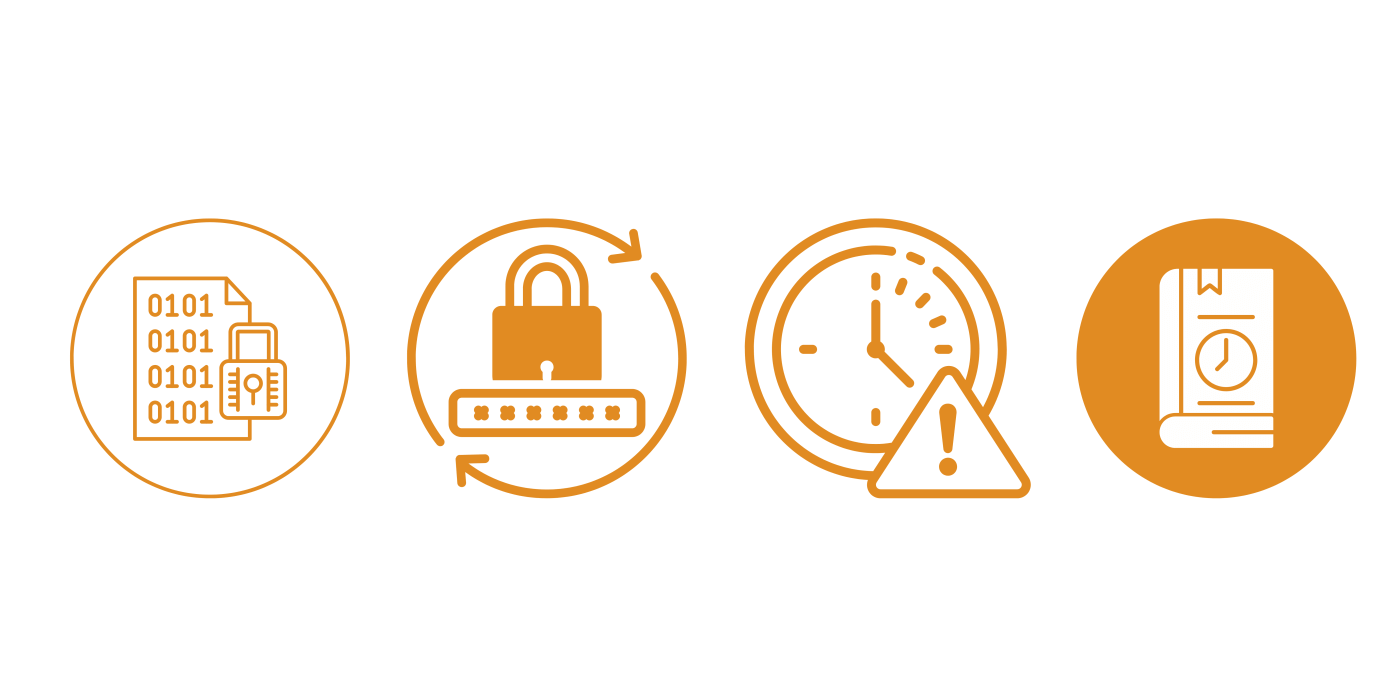
Given the serious consequences of stolen data from PAYE forms, cloud-based file-sharing platforms like DropSend offer a secure way for individuals and employees to safely share PAYE forms through the help of the following features:
256-bit encryption
DropSend uses 256-bit encryption, a type of cryptographic technique used to secure digital data. In this encryption method, each piece of information, such as a file or message, is scrambled using a complex mathematical algorithm that generates a unique 256-bit key. This key consists of a sequence of 256 binary digits (bits), resulting in an astronomical number of possible combinations, making it extremely difficult for unauthorized parties to decrypt the data without the corresponding key. In essence, 256-bit encryption provides a high level of security and is considered one of the strongest encryption standards available today.
Related Article: Understanding File Encryption
File expiration
Automatically deleting files after a set period reduces the risk of unauthorized access. DropSend lets users specify how many days a file can exist. Besides enhancing security, file expiration dates help manage storage space and keep files organized. This feature is also beneficial for businesses that need to delete certain types of data promptly.
The longer a file remains in storage, the higher the risk of it being compromised. Expiring unneeded files reduces the potential attack surface for cyber threats.
Related Article: Importance of Expiration Dates in File Sharing
Limited download time
Another security layer DropSend provides allows users to limit the number of times a file can be downloaded. Once this limit is reached, the file is no longer accessible, preventing potential misuse. By restricting download attempts, sensitive information is less likely to be distributed beyond the intended recipients, helping maintain the confidentiality of shared files. Users also gain better control over who accesses their files and how often, which is especially useful for time-sensitive or confidential documents that should only accessed a limited number of times.
Limited download times also help prevent files from being downloaded and widely shared without permission. This is crucial for protecting intellectual property and propriety information.
Zero-knowledge password protection
Zero-knowledge password protection is a security measure where the service provider cannot access the user’s password or any data protected by it. This enhances privacy and security, ensuring that even if the provider’s servers are compromised, the user’s data remains inaccessible to attackers. It gives users complete control over their information, making it one of the most secure methods for protecting sensitive data.
DropSend offers an option to set zero-knowledge password protection for files, allowing users to add pass keys to their files without DropSend having any knowledge of the passwords.
These file protection methods can be combined to ensure the safety of your files, particularly when sending sensitive documents like PAYE forms. Using all these methods together with DropSend’s end-to-end encryption adds multiple layers of protection, making unauthorized access nearly impossible.
Related Article: How to Password Protect Any Files
Best Practices for Secure File Sharing
Adhering to best practices in secure file sharing ensures that confidential data, such as personal information, financial records, or business documents, remains private and protected from unauthorized access. Here are the practices to follow:
Use encrypted email services
Encryption guarantees that only the designated recipient can access the files, shielding them from interception and unauthorized viewing. It safeguards personal and confidential information, preventing exposure to third parties or cybercriminals. While there have been apprehensions about the safety of email file transfer, service providers have significantly bolstered security measures, ensuring files are protected from unauthorized access and understanding the importance of their role in secure file sharing. Some well-known email services renowned for their encryption features include ProtonMail and Outlook.
Secure cloud storage options
Secure file storage options utilize encryption and other security measures to safeguard files, preserving the confidentiality of sensitive information. They provide detailed access controls, enabling administrators to specify permissions for file access, editing, and sharing, thus preventing unauthorized users from obtaining sensitive data. Additionally, these solutions often incorporate auditing and monitoring features, empowering administrators to monitor file access and modifications, thereby detecting any suspicious activity and ensuring accountability.
Moreover, these platforms frequently integrate collaboration tools that enable users to collaborate on files securely Features such as version control and commenting promote effective collaboration while upholding security measures.
Encryption of files
Although many file-sharing services already encrypt your files during transit and storage, utilizing third-party encryption software can add an extra level of security. Encryption converts file contents into unreadable ciphertext, significantly hindering unauthorized users from accessing or deciphering the information without the decryption key.
In summary, encrypting files before sharing is crucial for preserving the confidentiality, integrity, and security of sensitive information, safeguarding both individuals and organizations against potential data breaches and unauthorized access. Some widely used encryption software include VeraCrypt and BitLocker.
Multi-factor authentication (MFA)
Multi-factor authentication (MFA) is a security process that necessitates users to provide two or more authentication methods before accessing a system or application. These methods typically encompass something the user knows (like a password), something a user has (such as smartphones), or something inherent to the user (like a fingerprint or facial recognition).
MFA enhances security by requiring additional authentication steps beyond just a username and password. In instances of password theft via phishing attacks or data breaches, MFA helps mitigate risks by demanding extra verification. In essence, MFA substantially enhances the security stance of file-sharing systems.
Implementing secure file-sharing practices entails employing strong security measures that thwart cyber threats and other malicious attacks. Utilizing secure and efficient file-sharing methods can streamline workflows, facilitating easier and safer collaboration.
Sharing PAYE Forms with DropSend
PAYE forms contain highly sensitive information. However, with DropSend’s multi-layer security features, employers can securely share PAYE forms with their employees, even those who are not DropSend users.
To ensure the secure transmission of PAYE forms, rely on DropSend and utilize the aforementioned security methods. DropSend prioritizes security above all else when it comes to file sharing. Not only can you share PAYE forms with us, but you can also securely share large files, and highly confidential documents, and collaborate on files with team members.
Interested in trying DropSend for free? Sign up now for a 30-day free trial.

