Maximizing Productivity with Expiring File Links for Temporary Projects

Temporary projects are becoming increasingly common in remote work setups, particularly because many industries that rely on or practice temporary projects are essential for sustaining these new environments. These industries include technology and software development, marketing and advertising, and content creation and publishing. Projects in these sectors are typically time-bound, making expiring file links a crucial tool.
Due to the nature of temporary projects, file-sharing with expiration dates is often necessary. This ensures that teams can stay focused on their objectives without confusion from overlapping projects and safeguards the files used. Once a project is completed all file links should be closed or allowed to expire, allowing the team to transition smoothly to new projects that require their attention and resources.
What are Expiring File Links?
As the term “expiring” suggests, expiring file links allow files to be shared for a limited time after which the links become inactive. This approach ensures that only the intended recipients can access the files within the specified timeframe, providing an added layer of security. It also prevents files from lingering indefinitely in shared spaces like cloud-based file-sharing tools. Once the expiration date is reached, the link becomes inactive, eliminating the need for manual access revocation.
In temporary projects expiring file links serve various purposes, with key uses being enhancing security, improving file management, facilitating collaboration, and ensuring smoother workflows for better productivity.
What are Temporary Projects and What are They For?
Temporary projects are tasks or initiatives created to accomplish specific goals within a set time frame. Unlike ongoing operations or long-term projects, they have defined start and end dates and focus on achieving a particular outcome. The project is completed once the objective is reached, and the team or resources can be reassigned to other tasks. Temporary projects are often flexible, allowing for adaptation to changing conditions or evolving requirements such as shifts in remote work setups.
Organizations commonly initiate temporary projects to solve specific problems or enhance processes. These projects can also be used to organize events like conferences, product launches, or marketing campaigns, all of which have clear objectives and deadlines. In research and development, temporary projects are often employed to explore new products, test emerging technologies, or conduct market research. In the IT sector, temporary projects may be used to test new software or upgrade, ensuring smooth implementation.
While temporary projects may seem to contrast with long-term plans, they are highly valuable for businesses, allowing them to achieve goals efficiently and effectively without the need for costly restructuring or significant resource commitments.
Benefits of Using Expiring File Links for Temporary Projects

File sharing with expiration dates restricts access after a certain period. While this is the most straightforward reason for using this feature, there are additional reasons why many teams opt for it in temporary projects. Here’s why setting an expiration date is commonly practiced.
Enhanced security
Sharing sensitive information can be risky, especially in environments where links may be circulated beyond their intended audience. Expiring file links reduces the risk by automatically disabling the file’s accessibility after a predefined time. This prevents unauthorized access to confidential documents and ensures compliance with privacy regulations.
Further, by limiting access to a specific window of time, organizations mitigate the chances of leaks and unauthorized downloads.
Efficient file management
Projects often involve numerous collaborators and files, making file management challenging. By adding expiration dates on links, teams avoid cluttering their storage space with old, outdated files. Once a project is complete, the file links automatically expire, keeping your cloud storage clean and organized without requiring manual intervention.
Optimized collaboration
Efficient collaboration is important in temporary projects. Setting link expiration dates to align with the project timelines ensures files are shared with ease which reinforces the project’s target completion. The defined timeframe prompts team members to give timely feedback and helps prevent unnecessary delays.
Time-Saving Automation
Manually tracking and revoking file access for short-term projects can be time-consuming. Expiring file links automate the process by setting a clear endpoint for access. This eliminates the need to chase after team members to ensure old links are deactivated, saving time and effort.
How to Implement Expiring File Links in Temporary Projects

Choose a Platform That Supports Expiring Links
Many file-sharing platforms, such as WeTransfer and DropSend, support link-sharing expiration dates. These platforms offer flexible options for setting the expiring date and allow you to control access permissions.
When selecting a platform, ensure that it offers the necessary flexibility to meet your project needs. For example, consider whether the platform allows you to set the link to expire after a specific date or after a certain number of downloads.
Set Appropriate Expiration Periods
The key to maximizing the utility of expiring file links is setting the correct expiration period. For temporary projects, the expiration should align with the project timeline. For example, if the project is expected to last a week, set the file link to expire shortly after the project’s completion. Setting too short an expiration period may inconvenience team members while setting too long a period might risk lingering access.
Use Password Protection for Added Security
Some platforms provide password protection as an additional layer of security for links with expiration dates. This option ensures that only individuals with both the password and the link can access the file, which is particularly useful for sharing sensitive information. It also adds an extra safeguard in case the link is accidentally forwarded.
For instance, DropSend allows users to enhance security by enabling features like setting an expiration date and adding a password before sharing files.
Monitor and Adjust as Needed
Regularly monitor your expiring file links to ensure they meet the needs of your project. If necessary, adjust the expiration period or grand temporary extensions if the project timeline changes. Staying adaptable ensures that your expiring links continue to serve your productivity goals without compromising security.
Best Practices for Using Expiring File Links in Temporary Projects
Although file sharing with expiring links is simple to set up and use, it’s important for users to be aware of additional practices to maximize the benefits of this feature. Here are some best practices to follow when using expiring file links to enhance productivity and collaboration throughout the project.
Limit File Size for Quicker Access
Large files can slow down collaboration. When sharing files with expiration dates, ensure the files are optimized for size without compromising quality. Compressing files or using cloud-based alternatives can help speed up access.
Regularly Update Files Before Sharing
Sharing outdated files can lead to confusion and errors. Before generating an expiring file link, ensure that the file is up-to-date with the latest edits. In temporary projects, where time is often of the essence, every team member must have access to the most recent version of the file.
Communicate Expiration Details to Collaborators
To avoid unnecessary confusion, clearly communicate the expiration timeline of shared files to collaborators. By letting them know when a link will expire, you encourage timely review and feedback. Consider sending reminders as the expiration date approaches to prompt action if necessary.
For example, DropSend indicates when the file will expire, encouraging recipients to download it as soon as they receive it.
Backup Important Files Separately
While expiring file links streamline temporary access, it is important to ensure that vital project files are backed up separately. This is especially true for files that may be needed after the project ends or that contain important reference materials. Store backups in secure locations and restrict access to unauthorized personnel.
Challenges and Solutions When Using Expiring File Links

To fully grasp the use of expiring file links, it’s important to be aware of potential challenges and their solutions. Understanding these challenges enables you to take immediate action if they arise, ensuring that they don’t affect the project timeline or cause delays.
Coordinating Multiple Expiration Dates
In complex projects with various phases, it may become challenging to coordinate multiple file links with different expiration dates. To avoid confusion, create a shared document or use a project management tool to track file expiration dates. Many platforms also allow you to see which links are still active, helping you manage them more efficiently.
Potential for Expiration Confusion
Sometimes, collaborators might not be aware that the file link they are relying on will soon expire. To mitigate this, it’s important to send reminders or warnings before expiration. This will allow collaboration to download or review the file before it becomes inaccessible.
File Sharing with Expiration Dates with DropSend
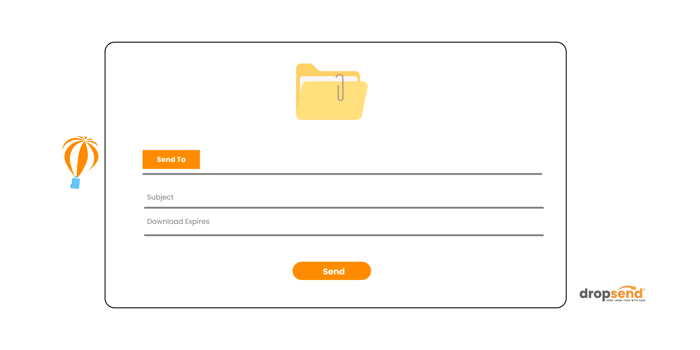
Temporary projects play a crucial role in many industries, allowing them to focus on specific tasks or, for some, forming the backbone of their operations. Finding a platform that can store files, share them with expiration dates, and set access limitations is often a priority. Fortunately, DropSend addresses these needs. DropSend is a cloud-based file-sharing platform that enables teams to collaborate securely and efficiently with features like expiring file links, password-protected sharing, and limited file downloads. With these tools, managing your next time-sensitive project becomes more convenient, ensuring deadlines are never missed.
Users with DropSend’s Basic, Standard, and Professional account plans can establish, modify, or remove expiration dates for shared links. To do so:
-
Sign in to dropsend.com
-
Hover over the Send a File option located in the top right corner. (Right after the ‘Online Storage’ menu)
-
Within the file sending pop-up box, select Advanced Options (beneath the file subject box).
-
Add your desired period limit. This will act as the expiration date or the time period one is allowed to download the file.
For a firsthand experience, visit DropSend to send large files for free and explore features that are essential for your temporary projects.

