The Role of Cloud Technology in Rapid File Transfers

As technology continues to advance, our world is becoming increasingly hyper-connected. With internet-enabled devices accelerating processes, the demand for rapid file transfers has skyrocketed, especially in business sectors. The need for speed, security, and efficiency fuels this surge. As companies expand globally and employees work remotely, the challenge of sharing data across wide distances has grown. Cloud technology has become the foundation of modern file transfers, reshaping how data is managed, stored, and transmitted.
Cloud storage providers have advanced their platforms to boost data accessibility and file sharing, enabling users to access and share files from any location, collaborate in real time, and sync files across multiple devices. As cloud technology evolves, let’s explore how it transforms file transfers with fast, secure, and scalable solutions.
What is Cloud Technology and Why It Matters for File Transfers?

Cloud technology utilizes remote servers hosted on the Internet to store, manage, and process data, eliminating the need for local servers or personal computers. This capability allows cloud platforms to handle vast amounts of data, enabling users to transfer large files without restrictions. Cloud services can also scale bandwidth as needed, offering flexibility for businesses experiencing shifts in data usage of growth. Additionally, cloud technology makes files accessible from any location with an internet connection, overcoming geographical barriers and enhancing collaboration and productivity. These features make cloud technology essential for rapid file transfers in today’s evolving work environments.
The cloud’s infrastructure is optimized for efficient file transfers, allowing files of any size to be sent quickly and securely. Whether for personal use, business collaboration, or large enterprise data exchanges, cloud technology meets the demand for rapid data mobility, ensuring users have access to the latest file versions in real time.
Cloud technology includes various software services such as Infrastructure as a Service, Platform as a Service, and Software as a Service such as rapid file transfer software.
Benefits of Cloud Technology in Accelerating File Transfers
The speed of file transfers is crucial in today’s business environment, as many decisions depend on it. Fast file transfers allow teams to work efficiently, collaborate in real-time, streamline workflows, quickly send reports and proposals to clients, and make data-driven decisions by accessing information instantly. Here’s how cloud-based tools can support these goals by accelerating file transfers.
Enhanced speed and performance
Cloud-based file transfers offer a significant speed advantage over traditional methods such as FTP (File Transfer Protocol) or email attachments. With high-speed internet connections and the strategic placement of data centers around the globe, cloud providers enable low-latency access to files regardless of a user’s location. Unlink physical hardware, the cloud has an almost unlimited capacity to manage traffic spikes and high volumes of data, allowing files to transfer faster even under peak demand conditions.
Scalability and flexibility for growing business.
One of the defining features of cloud technology is its scalability. Businesses no longer have to worry about the constraints of traditional storage solutions. Instead, cloud storage solutions provide flexible options for expanding or contracting storage as needed. This scalability is particularly beneficial for organizations experiencing rapid growth or handling fluctuating amounts of data.
With cloud solutions, businesses can choose from different storage tiers, customizing their usage based on their file transfer needs without significant cost increases. Dynamic scaling also eliminates the downtime associated with hardware upgrades, ensuring business continuity in environments with constantly changing data requirements.
Robust security and data protection
File transfers over the cloud are protected by advanced security protocols, including end-to-end encryption, multi-factor authentication, and robust access controls. Cloud providers implement stringent security measures to protect files during transit and at rest which is especially critical for sensitive data transfers in finance, healthcare, and legal services. With regular audits, continuous monitoring, and compliance with international standards, cloud technology provides greater data security than traditional transfer methods.
Furthermore, many cloud services offer backups and disaster recovery solutions, meaning data is automatically duplicated and stored in multiple locations. This redundancy ensures that data remains intact and recoverable, even during a system failure, natural disaster, or cyber-attack.
How Cloud Technology Improves the File Transfer Workflow
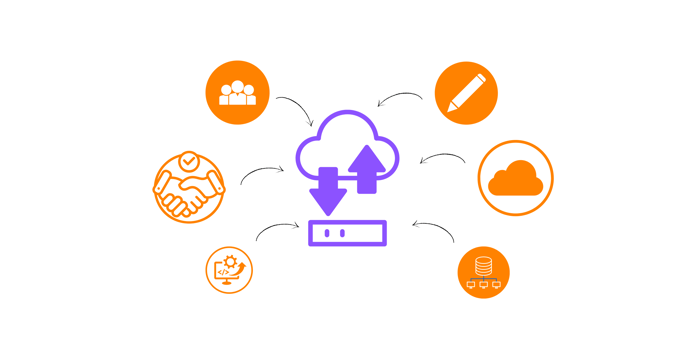
The secure and seamless transfer of data and documents across teams regardless of location is essential for real-time collaboration. A clear file transfer workflow helps teams keep track of document versions, prevent duplicates, and reduce errors. Remote work also demands quick access to information, task tracking, and accountability– all supported by smooth file transfer workflows.
Real-time collaboration and version control
One of the unique advantages of cloud-based file sharing is its ability to support real-time collaboration. Cloud platforms enable multiple users to access, edit, and share files simultaneously, which enhances workflow efficiency and reduces the need for email exchanges. Additionally, the version control feature allows users to track changes, revert previous versions, and monitor updates in real time. This ensures that teams are always working on the latest version of a document, reducing confusion and preventing errors due to outdated files.
Global reach and remote accessibility
Cloud-based large data storage solutions allow files to be accessible from virtually any device and location with an internet connection. This global accessibility is essential for businesses with distributed teams and remote workers, who can easily access and transfer files regardless of time zones. Cloud technology not only improves accessibility but also ensures that files are available on-demand, eliminating the delay with physical file transfers or manual uploads to local servers.
Cost-efficiency and resource optimization
Cloud technology eliminates the need for on-premise servers, IT maintenance, and physical infrastructure, resulting in significant cost savings. The pay-as-you-go model of cloud-based file-sharing solutions for businesses allows them to pay only for the storage they use, making it a cost-effective solution for managing large volumes of data transfers. This cost-efficiency enables businesses to reallocate resources towards more strategic projects, rather than maintaining and updating traditional file transfer infrastructures.
Best Practices to Ensure Rapid File Transfers in the Cloud

Cloud-based file-sharing tools for businesses are seeing a significant increase in users due to the rising demand in the remote work sector. While cloud technology allows organizations to share files in real-time, its effectiveness depends on factors such as internet connectivity, file types, and users’ proficiency in using these tools. Here are some essential best practices to maintain efficiency, security, and reliability.
-
Use compression tools.
Compress files into formats such as ZIP or RAR to minimize their size before uploading. This speeds up the transfer process, conserves bandwidth, and preserves data integrity.
Although cloud platforms can enhance transfer speed, they depend heavily on internet connection quality. Compressing your files helps prevent interruptions during transfers and adds an extra layer of security.
-
Enable file chunking.
For extremely large files, consider using tools that support file chunking, which splits a file into smaller segments and transfers them separately. This approach minimizes the risk of failed uploads or downloads, as only the interrupted chunks need to be resent if an issue occurs.
Transferring smaller chunks in parallel can accelerate the overall transfer process, particularly on networks that allow concurrent data streams. File chunking also helps make the most available bandwidth and enables the transfer to resume from where it was paused or interrupted.
-
Invest in high-speed internet connectivity.
A high-speed internet connection facilitates data transmission, reducing the time needed to transfer files between devices or networks. This ensures that file transfers are completed quickly, enabling employees to efficiently access and share important documents, collaborate on projects, and communicate with clients or colleagues more efficiently.
Rapid file transfer capabilities also give businesses a competitive edge, supporting prompt customer responses timely project deliveries, and consistent productivity.
-
Organize files efficiently.
Organize large files in clearly labeled folders and directories. Keeping files well-structured in large file transfer platforms enables team members to quickly find and access documents from any location with an internet connection. This organization also enhances team efficiency. Properly labeled and shared folders make it simpler for everyone to stay aligned and contribute without confusion.
This practice supports rapid file transfers by aiding teams or businesses in scaling operations, scheduling the transfer of large files during off-peak hours, and facilitating backup and data recovery processes when needed.
-
Educate team members.
While file-sharing platforms for businesses are often user-friendly and simple to use, team members still need training on the best practices your organization implements for file sharing. Proper training in using cloud platforms and transferring large files ensures that team members follow efficient procedures, minimizing the risk of errors and delays.
Rapid File Transfers for Your Organization through DropSend

Rapid file transfers have become essential as business and work setups change. The ability to send files at high speeds supports business continuity and benefits individuals who need to share files across the globe.
The growing demand for faster file transfers is one of the most significant innovations in today’s digital landscape, enhancing efficiency in modern business operations. The right tool for fast file transfers is crucial as processes move online. One standout option is DropSend—a cloud-based file-sharing platform that allows for quick file transmission and offers services tailored for students, organizations, and independent professionals. This makes it an ideal solution for anyone looking to collaborate or securely store important files in one place. DropSend ensures files are protected with encryption and additional security measures, such as zero-knowledge password-protected file sharing and file expiration dates. To experience the speed of file transfers with DropSend, try sending files for free by visiting our page and using our free file-sending feature.
Send large files at lightning speed with just one click. Sign up now.

