Tips to Improve Large File-Sharing in the Cloud

Large file sharing has long been a part of work dynamics and everyday file exchange. The ability to transfer large files dates back to the early days of messaging apps, when users and developers recognized the growing need for it. However, with today’s increased focus on security and scalability, cloud-based file sharing has become a preferred solution.
According to Techopedia, file transfers or sharing is copying or moving a file from one computer to another over a network or internet connection. It enables sharing, transferring, or transmitting a file or a logical data object between users and computers locally and remotely.
Although there are various methods for transferring files, cloud-based file sharing is highly favored due to its advantages and its ability to help businesses keep up with the rapid pace of digital transformation. To better understand large file sharing in the cloud, let’s explore it in more detail.
The Importance of Large File-Sharing Solutions
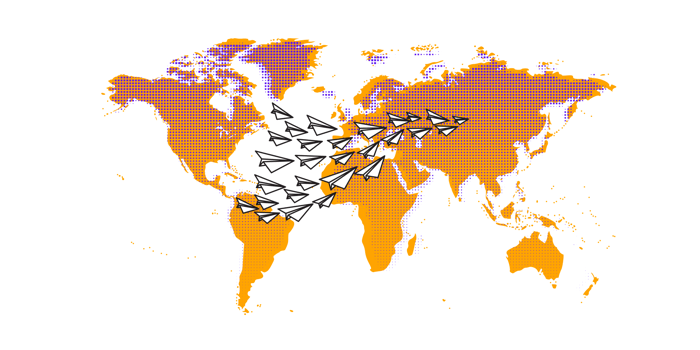
Nowadays, businesses around the world are having trouble moving large amounts of digital assets quickly and reliably between their global sites and teams.
Large file sharing is used across various industries, such as design teams and the video industry, where teams handle the transfer of digital footage from studios or editors who then grant access to the latest films, music, and television shows. In the healthcare sector, large file sharing is critical for transferring medical data for analysis, including all records and results of procedures performed on patients.
As businesses expand, file transfer and large data storage solutions across internal, external, and global organization networks become critical challenges, making them a top priority.
Choose the Best Cloud Storage Provider for Large Files
Not all cloud storage providers are equipped to handle large file transfers. Some impose file size limits or bandwidth restrictions, which can disrupt the seamless sharing of large documents. Selecting the right platform is crucial for optimizing large-file sharing efficiency.
Here are some popular cloud-based file-sharing tools:
DropSend: Known for its user-friendly interface and robust large file-sharing features, DropSend’s Business Lite plan allows upload of over 50 GB, while DropSend Pro supports up to 50 GB.
WeTransfer Pro: Ideal for those needing to transfer massive files quickly, WeTransfer Pro allows upload of up to 200 GB in a single session.
Microsoft OneDrive: Seamlessly integrated with Microsoft 365 Suite, OneDrive supports file uploads up to 250 GB, making it suitable for enterprise users.
Choosing a platform that supports high-volume uploads and downloads without speed throttling is essential for those regularly handling large files. Additionally, consider the platform’s ability to manage various file types, its security and compliance features, and the time required for uploads and downloads when selecting a tool.
Use Compression Techniques to Reduce File Size
Sharing large data files in the cloud relies on a stable internet connection. File compression can prevent interruption or slowdowns when the connection is weak. Compression reduces upload time by removing redundant information and reorganizing data to take up less storage space. This is especially useful if you occasionally send large files that exceed your storage limit, allowing you to manage your existing cloud storage plan effectively.
Some popular compression tools include:
WinRar: A widely used tool that compresses files into RAR or ZIP formats.
7-Zip: A free, open-source utility that offers high compression ratios, especially with 7z format, ideal for huge files.
macOS Built-in Compressor: Mac users can reduce file size by right-clicking a file and selecting “compress.”
Compressing files is particularly beneficial when handling large media files, such as videos, images, or large software packages.
Optimize Internet Connectivity for Faster Uploads

Your internet speed plays a crucial role in online file transfers. The faster your connection, the quicker you can upload or download files from the cloud. Optimizing your internet connection can make a difference if you are dealing with large file sizes regularly.
Here are some tips to improve your upload speed:
Upload to Fiber-Optic Internet: Fiber-optic connections provide symmetrical speeds meaning your upload and download speeds are the same. This is especially useful when sharing large files.
Utilize a Wired Ethernet Connection: Ethernet cables typically provide more stable and faster connections than Wi-Fi. If possible, use a wired connection to minimize upload and download times.
Set Up Quality of Service (QoS) on Your Router: Some modern routers offer QoS settings that allow you to prioritize certain tasks, such as file uploads, to ensure they get more bandwidth.
By improving the quality of your internet connection, large file transfers will become more efficient, dramatically reducing transfer times.
Take Advantage of Parallel Uploading
Parallel uploading is a method designed to accelerate the upload of large files by breaking them into smaller segments and sending them simultaneously over multiple connections. Instead of a single, sequential upload, different parts of the file are uploaded at the same time, significantly reducing the overall upload duration. Once all segments are transferred, the system reassembles them into the original file.
This approach is especially beneficial for large file-sharing or when dealing with slow or unreliable internet connections, as it optimizes bandwidth usage and minimizes disruptions. Many cloud storage platforms and file-sharing services leverage parallel uploading to improve efficiency. It only speeds up the process but also ensures that if one segment faces an issue, the rest of the file continues to upload smoothly.
Cloud-based file transfer tools with parallel upload capabilities help maintain consistent file transfers, even with slow or unstable internet connectivity.
Ensure Secure Transfer with Encryption
Remote work and distributed teams have become the new standard. As a result, securely sharing large sensitive files is crucial. Cloud-based tools provide various encryption protocols to safeguard files during both transfer and storage.
Key security practices include:
End-to-end encryption (E2EE): This ensures that files are encrypted from the moment they leave your device until they reach the recipient, preventing any third-party access to the data.
Secure file transfer protocols: In enterprise environments, it’s best to use protocols like SFTP or FTPS, which secure the file transfer process with encryption.
Password-protected sharing and link expiration: Tools like DropSend offer password-protected file sharing and link expiration dates, providing an added layer of security for large file transfers.
By utilizing these secure methods, you can protect sensitive information and ensure your data is delivered safely without the risk of interception.
Implement File Sharing with Expiration Dates
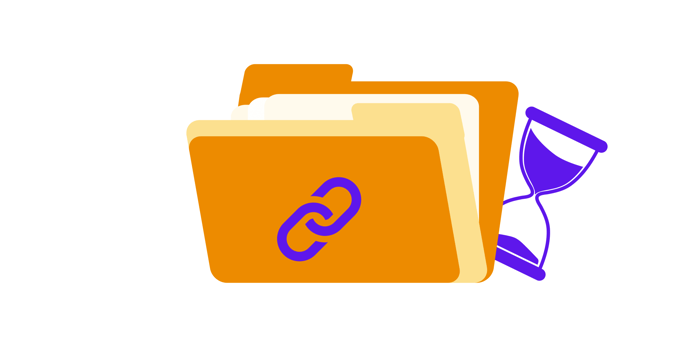
To increase security and control over your files, it’s advisable to set expiration dates for shared links. This restricts access to the file after a specified time, reducing the risk of unauthorized downloads. Further, some services like DropSend, offer download limits ensuring that even if the file hasn’t expired, it becomes unavailable once a set number of downloads is reached.
Using file expiration dates is particularly helpful when sharing large files with external collaborators, ensuring the files are accessible only for a limited period.
Split Large Files for Easier Sharing
For extremely large files that exceed the size limits of your chosen cloud platforms, splitting the file into smaller parts can make sharing easier. File-splitting tools such as HJSplit and 7-Zip allow you to break down large files into manageable chunks, which can then be uploaded and shared individually.
Once the recipient downloads all the parts, they can easily reassemble the file using the same tool. This technique is especially effective when dealing with cloud platforms that impose strict size limits.
Schedule File Sharing During Off-Peak Hours
Internet speeds can fluctuate depending on the time of day and the number of users on the network. To ensure maximum bandwidth for large file uploads, schedule your file transfers off-peak hours— typically late at night or early in the morning.
This method reduces the likelihood of network congestion, allowing files to be uploaded more quickly.
Sharing large files in the cloud is now an essential part of both business and personal tasks. With the right tools, an optimized internet connection, and emerging technologies, you can enhance the efficiency of large file sharing. These strategies not only save time but also ensure that your data stays secure throughout the transfer process.
Large File Sharing with DropSend
As remote work reshapes business operations, various digital tools have emerged to meet the growing demands of file sharing. Among these, DropSend stands out as a cloud-based file-sharing solution offering features like password-protected sharing, link expiration dates, and download limits. These features allow users to maintain control over the security of their files. DropSend is also highly user-friendly, making it easy to navigate. With just one click, you can share or request files from teams across the globe.
Sharing large files between teams is transforming the way organizations collaborate. Finding the right tools to maintain seamless workflows during rapid digital transformation and evolving business environments is crucial to staying competitive. Try DropSend to share, collaborate, and work effortlessly with your teams no matter where they are in the world. Sign up for a free trial and start sharing large files with ease.
Large file sharing doesn’t have to be complicated—send your large files with DropSend today.

