File Sharing Security: Understanding Multi-Factor Authentication
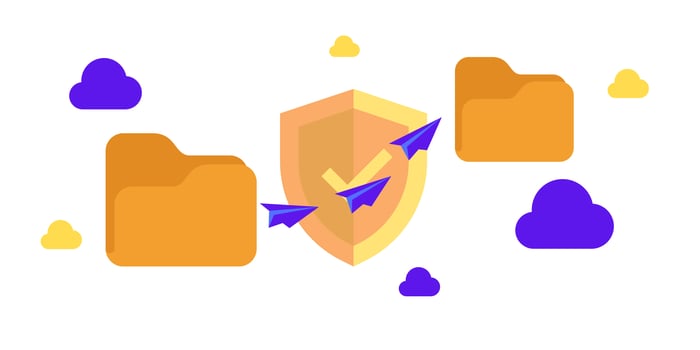
Digital security is critical in today’s online environment. Both businesses and individuals store sensitive data online and access it through various accounts. Interacting with applications, services, and data on the internet carries risks, and any breach or misuse of this information can lead to significant consequences such as financial theft, operational disruption, and privacy loss. This makes file-sharing security a top priority for many.
As remote work continues to grow and is likely to remain prevalent in the future, secure data sharing has become increasingly important for businesses. While passwords can protect digital assets, they are often insufficient on their own. Skilled cybercriminals frequently target passwords, making password management a significant challenge. This is where multi-factor authentication (MFA) plays a crucial role, adding an extra layer of security to prevent unauthorized access, even if the password has been compromised.
What is Multi-Factor Authentication (MFA)?
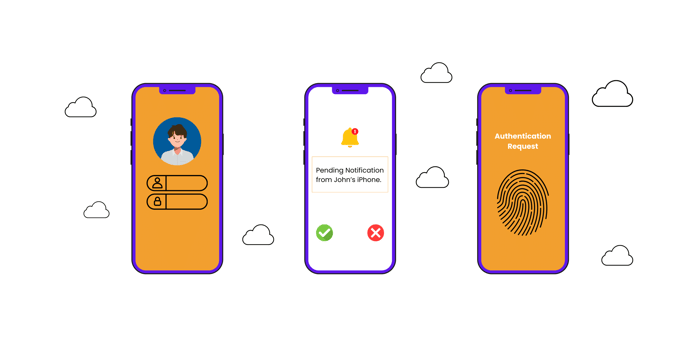
Multi-factor authentication is a security measure that requires users to provide more than one method of authentication to verify their identity before gaining access to files or systems. Unlike singe-factor authentication, which only requires a password, MFA incorporates at least two of the following factors:
-
Something you know: This includes passwords, PINs, or security questions and is the traditional factor used in most authentication systems.
-
Something you have: This includes physical devices, such as a smartphone, a security token, or a smartcard, and ensures that the person accessing the system has possession of a specific item.
-
Something you are: This involves biometric data such as fingerprints, facial recognition, or voice recognition, which is becoming increasingly modern in MFA systems.
Incorporating MFA significantly enhances file-sharing security, making it so much more difficult for unauthorized users to gain access.
Why Multi-Factor Authentication is Essential in Sharing Files Securely
File sharing raises security risks because data is constantly moving between different locations. Files shared over the Internet can easily be intercepted if they are not properly protected. The addition of MFA ensures that even if a password is compromised, unauthorized access is still blocked by the second or third authentication factor.
Preventing Unauthorized Access
File transfers frequently involve sensitive and confidential information, making them a prime target for cybercriminals. Multi-factor authentication (MFA) is key to preventing unauthorized access by adding an extra layer of protection. Even if a hacker successfully steals a password, they would still need to overcome an additional factor— such as a code sent to the user’s smartphone or a biometric scan— to access the file-sharing system.
Mitigating Human Error
People are often the weakest link in security. They tend to reuse passwords, fall for phishing scams, and make other common mistakes that put security at risk. Multi-factor authentication helps reduce these vulnerabilities by ensuring that a stolen password alone isn’t enough to access a system. Even if a user is tricked in a phishing attack, the attacker would still need the second authentication factor to gain access.
How MFA Enhances Compliance with Data Protection Regulations
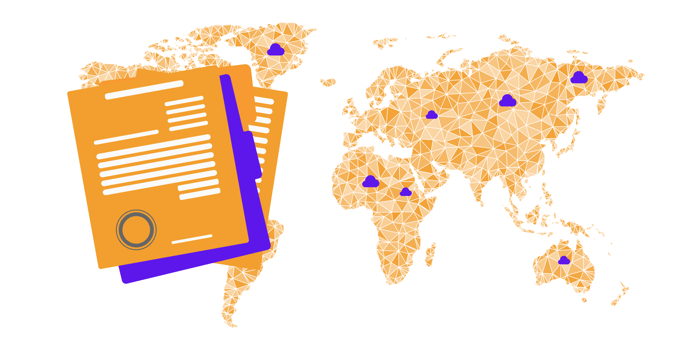
With stricter data protection regulations like the General Data Protection Regulation (GDPR) and the California Consumer Privacy Act (CCPA), businesses face increasing pressure to protect sensitive data. Failure to do so can result in heavy fines, legal complications, and loss of client trust.
Integrating multi-factor authentication (MFA) into large file-sharing solutions helps businesses comply with these regulations by adding an extra layer of security. MFA ensures that only authorized individuals can access sensitive data, aligning with the security requirements outlined in these laws.
A key component of compliance is maintaining secure audit trails that track who accessed files and when. MFA enhances accountability by tying each login and file access to the verified individual, making it easier to trace suspicious activities and strengthening both security and regulatory compliance.
Understanding Cloud-based File Sharing and Its Security Challenges
Cloud-based file sharing allows users to store, access, and share large files across various devices and locations. While this offers convenience, it also presents significant security risks, particularly as cyber threats become more advanced. Hackers often target cloud platforms due to the vast amount of sensitive data stored on them. Common threats such as data breaches, phishing attacks, and ransomware make securing the cloud a top priority.
In cloud environments, relying solely on password protection is no longer adequate. Stolen passwords can quickly expose sensitive information to unauthorized users, whether through weak credentials, social engineering, or data leaks. To mitigate these risks, stronger security measures like multi-factor authentication (MFA) not only protect data but also ensure that businesses using cloud services remain compliant with data privacy regulations.
The Importance of MFA in Cloud-Based File Sharing
One of the primary advantages of using multi-factor authentication (MFA) in cloud-based file sharing is its ability to protect sensitive data from unauthorized access. Cloud systems often store highly confidential information, including financial records, legal documents, and intellectual property, where a data breach could lead to significant economic loss and damage to a company’s reputation. Many cloud-based file-sharing platforms implement MFA to ensure the security of any files shared through their service.
Securing Sensitive Data
A key advantage of using multi-factor authentication (MFA) in cloud-based file transfer tools is its ability to protect sensitive data from unauthorized access. Since cloud systems often hold highly confidential information, data breaches can lead to serious financial and reputational harm. MFA adds extra layers of security, ensuring that even if an attacker compromises one factor, like a password, they would still need to verify through additional authentication factors
Minimizing Risks of Credential Theft
In many breaches, attackers gain access to file transfer platforms by stealing credentials, particularly weak or reused passwords. With MFA, attackers are thwarted from proceeding without access to the second authentication factor, such as a code sent to a registered mobile device or a biometric scan.
Compliance with Data Protection Regulations
As more data protection regulations come into play, organizations must ensure they meet the security standards to protect user data. MFA helps businesses comply with these regulations enforcing strict access control mechanisms that prevent unauthorized access to sensitive information stored in the cloud.
Cloud providers often mandate or recommend MFA for accessing file-sharing services as part of their effort to assist customers with compliance requirements.
How MFA Works in Cloud File-Sharing Platforms
In most cloud-based tools, MFA is relatively easy to implement. After entering their password, users are prompted to provide a second authentication factor which can be done through various methods, such as:
SMS Authentication
SMS authentication is the most common form of MFA, where a one-time password (OTP) is sent to the user’s mobile device via SMS. The user must then enter the code to access their files. While convenient, SMS-based MFA has certain vulnerabilities, including the potential for SIM-swapping attacks, making it less secure than other methods.
Authenticator Apps
Authenticator apps like Google Authenticator or Microsoft Authenticator generate time-sensitive codes that users must input alongside their password. These codes refresh every 30 minutes, providing strong file-sharing security with minimal inconvenience to the user. This method is considered more secure than SMS-based authentication since it doesn’t rely on mobile networks, which can be compromised.
Biometric Authentication
Biometrics, such as fingerprints, facial recognition, or iris scans, are increasingly popular MFA implementations. Biometric authentication is particularly effective for securing sensitive file-sharing environments because it’s extremely difficult to replicate or steal biometric data, adding a strong layer of security.
Push Notification Authentication
Another MFA method is push notifications, where a login request generates an alert on a registered mobile device. Users must approve or deny the request through the notification. This approach enhances secure file sharing by allowing users to monitor and control login attempts in real-time.
Hardware Tokens
For organizations that require maximum security, hardware tokens can be issued to employees. These physical devices generate a one-time password or digital signature, ensuring that only those in possession of the token can authenticate and gain access to the cloud-based file-sharing system.
MFA Best Practices for Securing Cloud-Based File Sharing
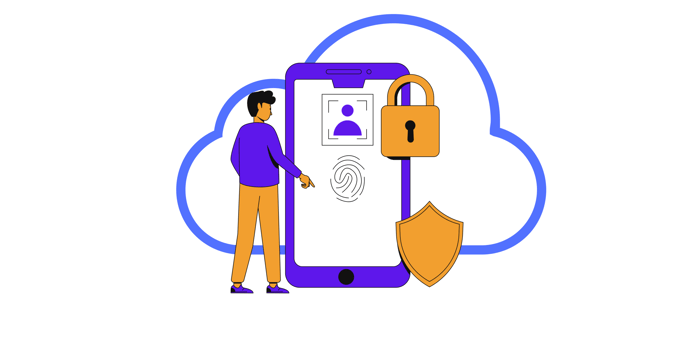
Implement strong MFA across all user accounts.
It is essential to enforce MFA for all users who access cloud-based file-sharing systems. This should include employees contractors, and external collaborators. Not implementing MFA across all user accounts leaves gaps in the security architecture, making the organization vulnerable to attacks.
Regularly update authentication methods.
With cyber threats evolving, it is important to continuously update your authentication protocols. If your organization currently uses SMS-based authentication, consider upgrading to more secure methods like app-based or biometric authentication. Ensure that all MFA methods are up tp date with the later security patches and industry standards.
Train employees on security best practices.
Even the best security systems can fail if users are not adequately trained. Regular security training is important to ensure employees understand how to use MFA properly and recognize potential threats like phishing attempts. They should also be made aware of the risks of password reuse and weak credentials, which could compromise file-sharing security.
Pair MFA with encryption for maximum security.
While MFA is an essential security tool, it should also be used in conjunction with data encryption. Encryption ensures that even if data is intercepted during file transfers, it cannot be read by unauthorized individuals. By combining MFA and encryption, organizations can create a robust security framework that protects sensitive data in the cloud.
The Future of File Sharing Security with MFA in the Cloud
As more businesses continue to adopt cloud-based file-sharing solutions, the importance of multi-factor authentication will only grow. With cyberattacks becoming increasingly sophisticated, relying solely on password-based security is no longer enough. MFA offers a scalable cost-effective way to protect data and maintain compliance with industry regulations.
Looking forward, we expect to see advancement in passwordless authentication, where MFA will focus on combining biometric and device-based factors to eliminate passwords entirely. This shift will enhance user experience while providing stronger file-sharing security in cloud environments.
Safe Cloud-Based File Sharing with DropSend
The cloud has transformed the way we store and share files, but it has also brought new security challenges. This cycle of evolving technology will continue, yet with security becoming a top priority in cloud environments, cyber threats could soon be a thing of the past. To ensure strong security for your data, use cloud services like DropSend, which protects sensitive files even if passwords are compromised. Ready to bolster your data security and compliance? Be the first to try DropSend free large file-sharing by visiting www.dropsend.com.

