The Importance of Expiration Dates in Large File Sharing
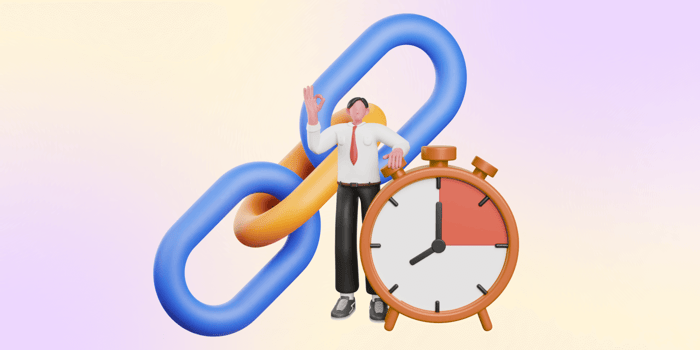
With the increasing digitization of processes, the significance of cybersecurity has grown exponentially. Large file-sharing platforms leveraging cloud storage are actively adopting measures to adhere to cybersecurity standards. One such measure involves enabling users to utilize shared link expiration, enhancing the overall security of the platform
Shared link expiration is a feature in cloud-based file-sharing platforms that allows users to set a predefined duration for the validity of a shared link. When sharing files or folders, users can specify a time after which the shared link will automatically become inactive. This time-limited access ensures that the link is only valid for a specific period, enhancing security by reducing the window of vulnerability and preventing prolonged unauthorized access to shared content. Shared link expiration is a cybersecurity measure that adds a dynamic layer of control, prompting the proactive management of access permissions and aligning with principles of data protection and access restriction.
What are Cybersecurity Measures?

Cybersecurity involves using technology, measures, and practices to prevent cyberattacks or reduce their impact. Its goal is to safeguard individuals’ and organizations’ systems, applications, computing devices, sensitive data, and financial assets. This protection extends from basic computer viruses to advanced and expensive ransomware attacks, covering a wide range of potential threats.
Here are some common cybersecurity measures that are implemented by most:
Firewall
Monitoring and control of incoming and outgoing network traffic, deciding whether to allow or block specific data packages.
Antivirus Software
Scan devices for malicious software (malware) and remove or quarantine it.
Encryption
Converts data into a code to prevent unauthorized parties and cannot be deciphered without an appropriate key.
Regular Software Updates
Software updates include security patches, and fixing vulnerabilities that hackers could not exploit.
Strong Passwords
A combination of letters (both uppercase and lowercase), numbers, and symbols that form a complex sequence and should be resistant to easy guessing or brute-force attacks.
Two-factor Authentication (2FA)
Adds an extra layer of protection. After entering a password, the user’s identity must also be verified through another method such as a text message or app that will provide a one-time security code.
BackupSystems
allows a user to restore their data in case of an attack.
Newsletters and Security Reminders
Informing individuals about the various methods that actors might use to send phishing emails or perpetrate other scams across different channels.
Network Segmentation
Dividing the network into segments so that when a portion is compromised, the whole network isn’t.
Incident Response
In case of a breach, steps, and plans are in place to minimize the damage.
These measures collaborate to establish a robust defense against cyber threats. They are often implemented altogether by a single entity, ensuring malicious individuals cannot breach the security, regardless of the methods they employ.
Setting and expiration for shared links is a security measure during a web-based file-transfer Online file-sharing platforms have implemented these measures as a way to comply with data privacy standards.
Why Should You Set Up Expiration Dates on Shared Links?
Enhanced Digital Security
Protecting Against Unauthorized Access
Establishing a shared link expiration enhances security when users transfer large file online. It constrains the duration in which a link to the specific content of resources remains valid. Once the link expires, it loses functionality, preventing further access and safeguarding against unauthorized entry. This guarantees that even if the link is compromised, its effectiveness is limited by time, diminishing the opportunity for unauthorized individuals to gain access.
Mitigating the Impact of Security Vulnerabilities
Restricting the active duration of a shared link is effective in minimizing the window for potential exploitation if security vulnerabilities are present. When the link expires, even if vulnerabilities exist, their accessibility to malicious actors is significantly reduced. This strategy serves as a proactive measure, lowering the chances of unauthorized access or exploitation and mitigating the potential damage associated with security vulnerabilities.
Efficient Access Control
Aligning with Project Timelines
Large file transfer is often project-specific. Setting link expiration ensures that access to project-related files is limited to the intended timeframe, in accordance with the project’s schedule. As project milestones are reached and phases progress, the expiration of shared links can be coordinated to align with the changing needs and timelines. This helps maintain a secure and controlled environment, preventing unauthorized access to project materials beyond the required duration and bolstering the overall project security.
Facilitating Content Updates
Digital collaboration involves dynamic content that may undergo revisions. By assigning an expiration date to a shared link, it guarantees that recipients can access the content only for a designated period. When updates are necessary, a fresh link containing the latest information can be generated, while the previous link is deactivated. This process ensures the sharing of the most recent and pertinent content and establishes an efficient mechanism for managing and tracking content distribution.
Streamline File Management
Automatic Clutter Reduction
Over time, file-share websites can become cluttered with outdated or unused links. Shared link expiration reduces clutter by removing themselves from the system or communication channels once they expire. This proactive approach to link management helps maintain a more organized and streamlined environment, as only relevant and currently valid links remain active.
Meeting Compliance Requirements
Many compliance standards mandate the secure handling of data. Link expiration when sending large files aligns with compliance requirements by enforcing controlled access to sensitive information. Implementing shared link expiration ensures that access to sensitive content is restricted within the given period, helping organizations meet compliance requirements for data protection and access controls. Link expiration dates help maintain the integrity and confidentiality of information in accordance with regulatory standards and industry best practices.
Privacy Protection and Control
Enhancing User Privacy
User privacy pertains to the authority individuals have over their personal information and its online collection, utilization, and sharing. The time-bound constraint in shared link expiration ensures that information is only available for a specific period, reducing the risk of unauthorized access. This provides an additional layer of privacy protection by automatically restricting access, even if the user forgets to manually revoke the link.
Preventing Unauthorized Sharing
Shared link expiration inhibits unauthorized sharing by setting a time limit on the link’s availability. When a shared link has an expiration date, any attempts to share it after deactivation effectively prevents unauthorized dissemination. The imposition of expiration dates acts as a protective measure, strategically controlling and diminishing the risk of unauthorized sharing, thereby enhancing the overall security of the shared content.
How to Set an Expiration Date for Shared Links in DropSend

Users with DropSend’s Basic, Standard, and Professional account plans can establish, modify, or remove expiration dates for shared links. To do so:
1. Sign in to dropsend.com
2. Hover over the Send a File option located in the top right corner. (Right after the ‘Online Storage’ menu)
3. Within the file sending pop-up box, select Advanced Options (beneath the file subject box). 4. Add your desired period limit. This will act as the expiration date or the time period one is allowed to download the file.
Before uploading the file you wish to share, you can customize other advanced settings such as adding a password or restricting the number of downloads.
Shared Link Expiration Date FAQs
What does a shared link with an expiration date look like to the people I share it with?
Recipients can view the download link and below it, the expiration date will be highlighted in red text. This serves as a reminder for them to download the file within the specified time frame.
How do I change the expiration date?
Go to your Sent Box and locate the set expiration on the file you sent (located under Expires). Click the dropdown arrow to change the expiration time.
Take Control of Your Data with DropSend

With malicious actors seeking to breach online data, prioritizing cybersecurity, privacy, and data protection measures becomes crucial. Setting a shared link expiration is just among the various steps that can be taken to prevent unauthorized access to the information you share online.
Safety on the web involves a multi-layer approach. This may necessitate the creation of robust passwords, passing reCaptcha tests, verifying identity through two-factor authentication, using one-time passwords, implementing face recognition, and more. These measures are implemented to safeguard against fraud, malware, and malicious activities online. However, it’s equally important to adopt certain precautions when sharing data online, such as verifying links and sources, avoiding sharing one-time passwords, and refraining from disclosing personal information on suspicious sites. It is important to remember that staying vigilant online is our responsibility.
In the context of secure file sharing, select large file-sharing platforms that prioritize your safety such as DropSend, a web-based file-sharing platform that enhances security by enabling individuals to take control of their data through features like shared-link expirations, password protection for shared files, and limitation on the number of times files can be sent. DropSend also incorporates adding cybersecurity protocols, including encryption, data backup, and user reminders before sending or downloading files.
DropSend prioritizes compliance with strict data protection measures. Trust your file transfers to DropSend and experience safe, secure, and fast file transfers. Sign-up now for a 1-month free trial.

