Best Practices for Sharing Files and Folders in the Cloud
The future of work is increasingly distributed, meaning that collaboration and content-sharing will predominantly occur online. As a result, teams and individuals must rely on collaboration tools like cloud storage. Cloud storage has become fundamental for effective data management and teamwork. To maximize the benefits of cloud services, adopting best practices for sharing files and folders is crucial.
This article offers a comprehensive look at best practices for sharing files and folders in the cloud to boost security and productivity. Additionally, we introduce DropSend, a provider of secure file-sharing solutions.
Understanding Cloud Storage
Before delving into best practices, let’s grasp the concept of cloud storage. Cloud storage is a digital storage system where data is maintained on external servers managed by a third-party service. These providers handle the technical aspects, ensuring your data is accessible online through public or private networks. Cloud storage offers a flexible way to store and manage various files, including documents, media, and business data, without relying on local hardware. This remote storage solution promotes easy access, sharing, and collaboration.
Choosing the Right Cloud Storage Service

Selecting an appropriate cloud storage service is the first step toward effective file sharing. Consider the following factors when making your choice.
Security Features
Seek services that provide strong encryption methods for both data in transit and rest. Verify that these services comply with industry standards. Choose secure file-sharing software that adheres to GDPR and HIPAA regulations for handling sensitive information.
Collaboration Tools
Select cloud-based collaboration tools that offer real-time features, including commenting, editing, and version control. These can enhance teamwork and productivity by allowing multiple users to work simultaneously on documents, make instant edits, and provide feedback through comments. Real-time collaboration ensures that everyone is working with the most up-to-date information, reduces the risk of version conflicts, and streamlines communication, leading
Integration Capabilities
Opt for services that seamlessly integrate with the tools and applications you already use, such as emails and project management software. These integrations help streamline workflows and boost efficiency by allowing smooth data transfer between applications, reducing the need for manual data entry and minimizing errors. They also facilitate the synchronization of information across various platforms, ensuring consistency and accuracy.
Organizing Files and Folders
Proper organization of files and folders is crucial in large file sharing and collaboration because it ensures everyone can easily find and access the necessary information. A well-structured system reduces the time spent searching for documents, minimizes confusion, and prevents duplication of effort. It helps maintain consistency as, team members can follow a clear and logical organization scheme, which is especially important in collaborative projects where multiple people are contributing. Effective organization enhances productivity and communication by keeping the workflow efficient and reducing the risk of errors.
To effectively organize your files and folders, implement these strategies:
Create a logical folder structure.
Design a folder hierarchy that mirrors your project or organizational structure. A well-organized folder structure helps users quickly locate specific documents, reducing searching time and improving overall efficiency. It also prevents the clutter and confusion that can arise from disorganized files, ensuring that related documents are grouped logically. This systematic approach makes it clear for team members where files are stored and how they are categorized, leading to more effective teamwork and fewer errors.
Use descriptive file names.
Avoid generic file names. Use descriptive names that reflect the content or purpose of the document to simplify searching and identification.
Descriptive names provide clear information about the content or purpose of a file, reducing the time spent searching through ambiguous or generic names. This practice helps avoid confusion, ensures that team members can efficiently find the documents they need, and facilitates better organization.
Regularly clean up.
Periodically review and clean up outdated or unnecessary files to maintain an organized cloud environment.
Regular clean-up reduces the risk of storing outdated or irrelevant files, which can save storage space and improve system performance. A tidy file structure also supports better collaboration by keeping the workspace clear and focused on active projects.
Setting Permissions and Access Controls

Managing permissions and access when sharing large files is crucial for maintaining security and controlling who can view or edit your documents. By setting appropriate permissions, you can ensure that only authorized individuals have access to sensitive information, reducing the risk of unauthorized use or data breaches. Proper management of access levels helps prevent accidental changes or deletions by restricting editing rights to only those who need them. This approach allows you to tailor access based on each person’s role and responsibilities, ensuring that everyone has the right level of access to contribute effectively without compromising data security.
Define access levels
Assign permissions according to user roles. Specifying access levels provides you control over who can edit or manage your files, protecting sensitive information from unauthorized access. This also reduces the risk of accidental modifications or deletions by limiting editing rights to those who truly need them.
Defining access levels ensures that each person involved in a project has the appropriate permissions to perform their role while preserving the integrity of the files.
Use shareable links wisely.
When sharing files and folders via links, set expiration dates to limit access to your files over time. This keeps the file from being active indefinitely, reducing risk. Practice password-protected file sharing to add an extra layer of security, especially when sharing sensitive or confidential files. Be mindful who you share the links with and if possible periodically check and deactivate links that are no longer needed.
Regularly review access permissions.
The needs and roles of team members can change, and some individuals may no longer require access to certain files. Periodically reviewing permissions prevents accidental misuse or alterations of sensitive information and guarantees that only the right people can view or edit them.
Regular reviews of access permissions are key steps in maintaining a secure and organized file-sharing environment.
Ensuring Data Security
Securing your data when sharing files in the cloud is essential to prevent unauthorized access, breaches, and misuse. Without adequate security measures, shared files can be exposed to cyberattacks resulting in data loss, theft, or disclosure of confidential information.
Ensuring data security is especially critical for organizations handling sensitive or regulated data, as it aids in compliance with legal and industry standards. It also protects them from potential risks and liabilities.
Enable two-factor authentication (2FA)
Add an extra layer of security by requiring a second form of verification when accessing your cloud account by enabling 2FA or other security options.
With 2FA, even if someone obtains your password, they would still need a second form of verification, such as a code sent to your phone or email, to gain access. This helps protect against cyberattacks like phishing or account hijacking.
Encrypt sensitive data
Use encryption tools to protect sensitive information before uploading it to the cloud. Encryption converts your data into a secure code, making it unreadable to anyone who does not have the decryption key. It is particularly important when dealing with sensitive or regulated information, as it helps you comply with privacy laws and industry standards, and minimizes the risk of data leaks.
Most cloud-based sharing tools already use encryption, offering users a secure way to share files. However, for enhanced security, users can also utilize third-party encryption tools to add an extra layer of protection. This additional step ensures that your data remains secure and inaccessible even if the cloud service’s encryption is compromised.
Monitor for suspicious activity
Regularly monitor for unusual activity or unauthorized access attempts so you can take corrective actions promptly. Keeping an eye on abnormal behavior helps you quickly identify potential file risks. Detecting suspicious activity early enables you to take immediate steps to safeguard your data.
Best Practices for Mobile Access
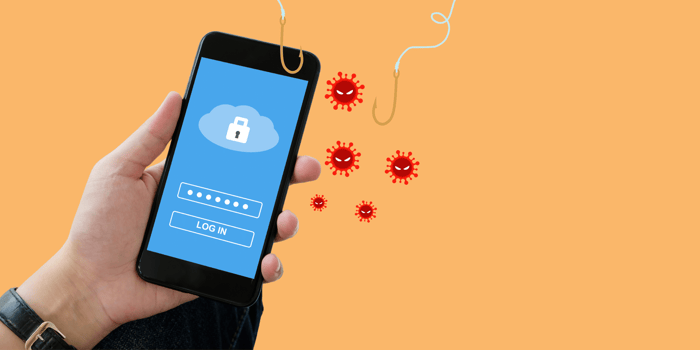
Accessing cloud files from mobile devices presents unique security challenges. Mobile devices are more susceptible to threats like malware, phishing, and theft. Mobile connections can also be less secure, especially when using public Wi-Fi, which can expose sensitive data to interception.
Ensure mobile security.
Use mobile security features like screen lock and remote wipe capabilities to safeguard data on your device. Keep your mobile operating system up to date, avoid using public Wi-Fi, and be cautious when granting permission to apps, especially those that request access to your files.
Optimize mobile access.
Ensure that your cloud-based file-sharing tools service are mobile-friendly. This allows for seamless access to your files and collaboration tools from any device. It is also optimized for smaller screens and touch interfaces, making it easier to use on the go.
Mobile-friendly cloud service typically includes security features tailored for mobile use, such as device management and secure mobile access which help protect data when accessed from a smartphone or tablet.
Managing Collaborative Projects
For collaborative projects, adhering to best practices can enhance team efficiency. Best practices help maintain the security, efficiency, and effectiveness of collaborative projects in the cloud, leading to more successful and organized outcomes.
Establish clear communication channels.
Set up dedicated channels for project discussions and file sharing to prevent confusion. Clear communication helps all team members understand which files are being shared, their purpose, and any specific instructions or deadlines. It also clarifies each participant’s role and how their contributions integrate into the overall project. Providing clear instructions and feedback reduces the risk of errors and ensures accountability.
Define roles and responsibilities
Clearly defined roles and responsibilities make it clear what each person’s specific tasks are and what is expected of them. Assigning these roles streamlines workflows and simplifies tracking progress, making holding individuals accountable for their contributions easier.
Share Files and Folders in the Cloud with DropSend
There is no doubt, that the increasing digitization and changes in work setups are making big changes in the way with collaborate and reach goals. With the pandemic pioneering unprecedented changes, tools such as the cloud are emerging, and will eventually evolve with more changes in the future.
Using the cloud to share files and folders, requires practices to ensure efficiency and security which are important for organizations. By choosing the right cloud storage, organizing files, and sharing them across teams has never been easier.
DropSend, a large file-sharing service that offers a multitude of cloud services might just be right for you. With features such as file requests, file password protection, and more, DropSend is a great tool that provides options for efficient file management and collaboration. It also utilizes a 256-bit encryption protocol and

